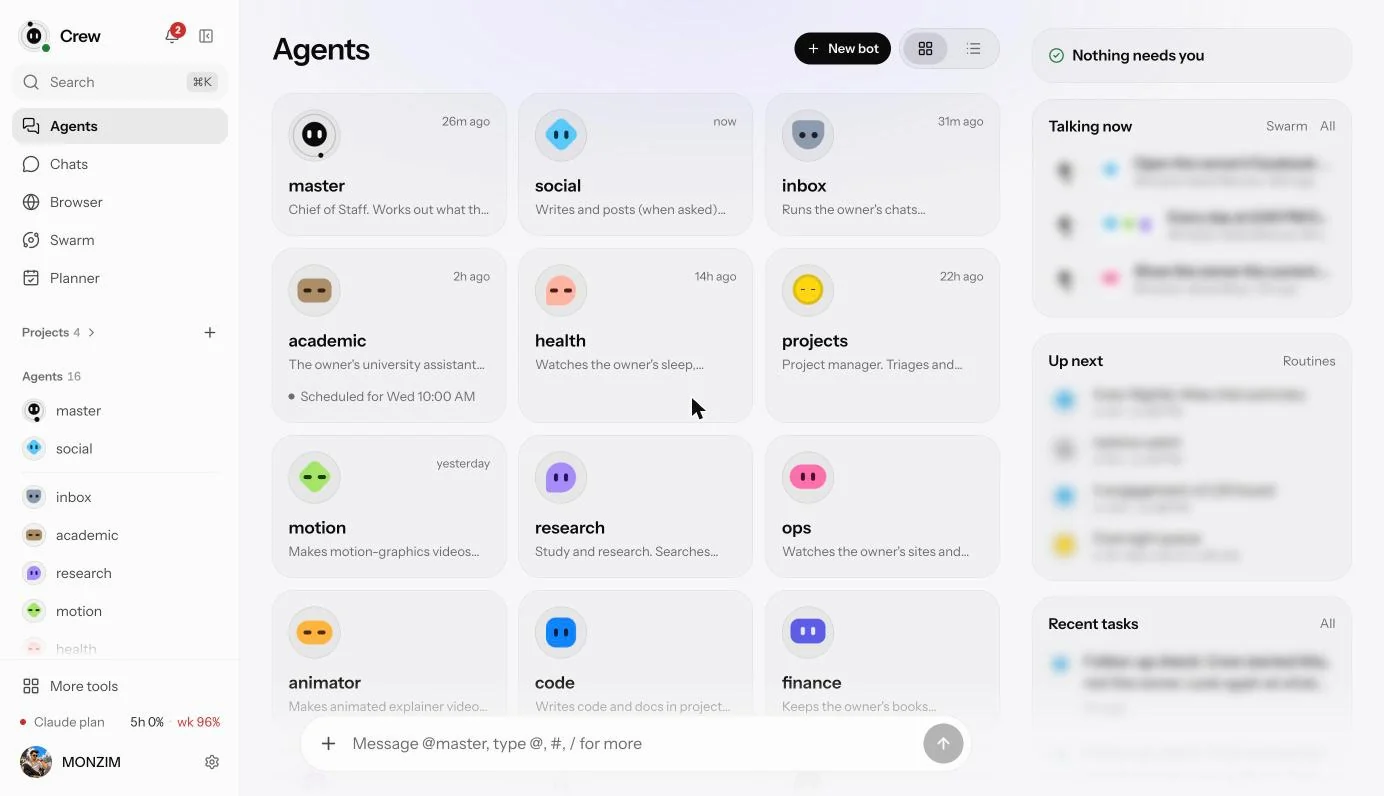
 Crew’s Agents page. Each card is a bot with one job, and I message them like people.
I used Grok Bot, and it was painful. So I built my own: a Claude Code personal assistant called Crew. It runs 24/7 on a server I control, and it now does most of what I wanted a bot to do in the first place.
I started on X’s cheapest plan, about $6 at the Bangladesh price, and gave Grok Bot access to my Facebook account. Within 20 or 30 minutes I hit its 5-hour usage limit. So I moved up to the $30 plan and started automating the things I actually wanted: a morning brief from X, posting on my social media, and checking my latest Messenger message and suggesting a reply.
Most of the time, it did the work well. The problem was how fast it burned through usage. I hit the 7-day limit quickly and had to switch off a lot of my routines. Grok Bot’s own browser also couldn’t get into my X account directly. The next step up was $100 a month just for a bot, which didn’t make sense for me.
This isn’t a setup guide, and there’s no repo to install. Crew is private on purpose. It started small, but as I added abilities it got a little scary: in the wrong hands, it could be used for harmful things far too easily. So for now it stays with me. Maybe one day I’ll open-source a lighter version with those abilities stripped out. This post is just the story of why I built it, what it does for me, and where it falls short.
Why not just use what exists?
I looked around first. As of 9 November 2026, from Bangladesh, the choices weren’t great:
- Duet, from Anthropic, is a waitlisted preview that started in the US, so I can’t get it here, even though Claude works here.
- Muse, from Meta, started rolling out in the US and isn’t listed as available in Bangladesh.
- Dots, from OpenAI, is only for Pro and Business accounts, and still rolling out.
Crew runs on a $200 Claude plan, which costs more than Grok Bot’s $30 one. But I was already paying for it, and Grok Bot’s next tier was $100 a month just for a bot. Building on what I already had made more sense.
What using it feels like
I message my bots in a private chat app, on the web or on my phone, the way I’d message a person.
- AskI send a messageFrom my phone or the web, like messaging a person
- RouteA coordinator picks it upIt answers, or hands the job to a bot for research, video or social
- WorkClaude Code runs in the backgroundOn a server I control, so it keeps going after I close the app
- CheckA card asks me firstIf the action is visible or risky, I approve, edit or reject it
- DoneThe result comes back in the chatA message, a file, a screenshot or a video
The part I like most is that the work doesn’t depend on me keeping anything open. I can ask for something, put my phone down and come back to the finished result.
The card step has a catch: I can also allow an action for good, and after that it runs without asking me. That covers some public actions on social sites too. It’s convenient, and it’s also the weak spot, because permissions pile up and each one felt small when I gave it.
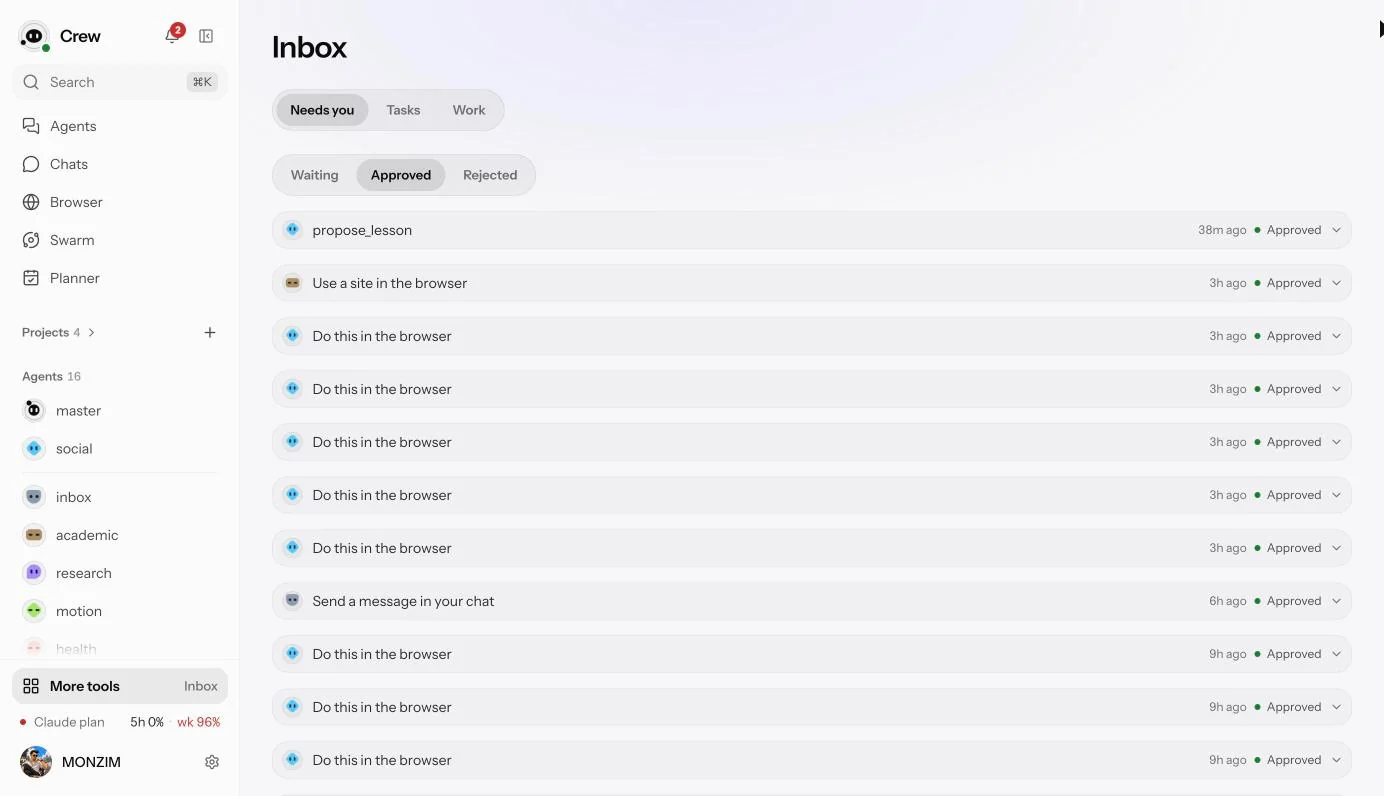 The approvals inbox. Every row is something a bot asked to do and I said yes to.
What it does for me
- A team of specialist bots that hand work to each other.
- A real browser with my logins, so a bot can read pages and act on sites that have no API.
- A daily rhythm: a morning brief, a midday digest, an evening wrap, and weekly and monthly reports.
- “Do this later”: I can say “at 7 AM, do this” and it waits.
- My chat apps, per chat, with my permission.
- Animated explainer videos rendered from code, with voice-over, plus a daily short on tech trends.
- Files and finished work, shared right in the chat.
- Memory of past work that it can search.
- Backups it can restore from, which I’ve already needed once.
- Uptime watching for my sites.
- A browser extension, so I can ask my bots about the page I’m on. It only reads the page when I tell it to.
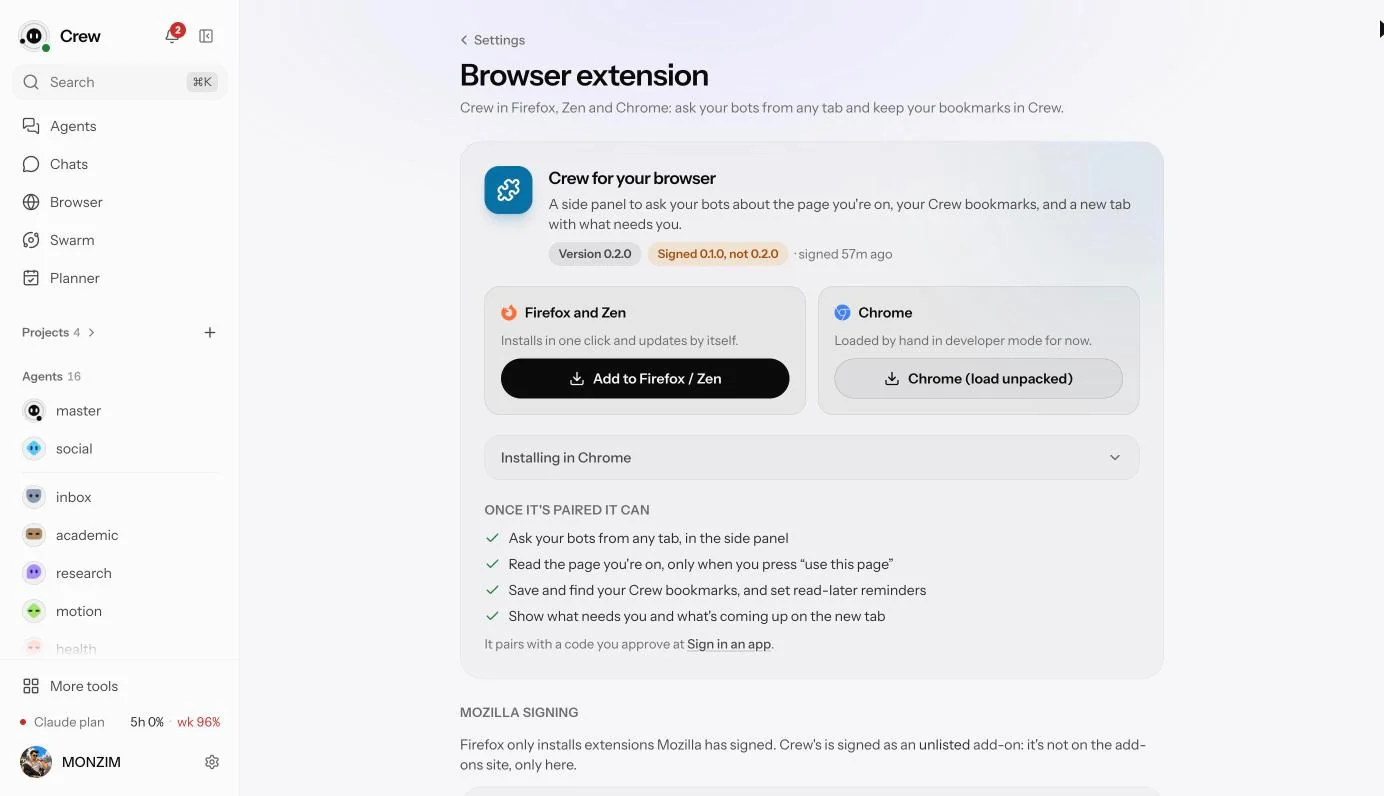 The browser extension, set up from inside Crew.
It also writes some code on my projects, with a plan card first, but only a little so far. Some features, like calendar sync, are built but sitting unused.
Where it really saves me time is my mornings. Every day, Crew checks X for what’s trending in tech and gives me a morning brief to read when I wake up. It hands the topic to the research bot, which digs through X, LinkedIn, Facebook and the wider web and writes a report. The animator bot turns that report into a one-minute motion-graphics video and uploads it as a short to my Facebook, Instagram and YouTube.
Three times it surprised me
It tried to send a message five hours early. At 2 AM I asked it to send a short message to a group chat at 7. It had no way to wait and no clock, so it just went to send it.
- 02:04I ask for a message at 7:00Then the bot opens the chat to send it right now
- 02:10I stop itNothing has gone out yet
- 02:17The fix landsA way to wait, and the current time in every task
- 07:00The retry runsThis time it waited
No error fired, because nothing was broken. An assistant that does the right thing at the wrong time looks exactly like one that works, right up until someone’s phone buzzes in the middle of the night. The retry went out at 7:00, right on time.
It noticed a habit. I kept asking for the same nightly summary of a group chat at about the same time. Crew suggested making it automatic, and now it just happens.
Its first video took 1 hour 39 minutes. I asked for an animated explainer. It offered style boards, I picked one, and about 80 seconds of video came back with a voice-over. Most of that time went to renders that died and work it had to redo. I’ve published three or four of these videos so far, and they’re getting better each time.
The day my bank stopped my assistant
My favourite failure has nothing to do with AI. My Claude subscription lapsed after a bank problem, because I couldn’t get the payment through. For about 25 hours nearly everything Crew tried failed. Once I paid, it went straight back to work.
Crew runs on top of my Claude plan, so when the plan stops, everything stops.
- $200Claude planalready paying for it
- 1server I controlplus a few small services
- 1userjust me
Priced per token, Crew’s usage so far would come to around $1,200. I don’t pay that, because the subscription covers it. That also makes it fragile: if the plan’s terms change, this setup could stop making sense overnight. Anthropic has its own rules on how a plan can be used with the Agent SDK, and they’ve changed several times, so please read them yourself instead of copying me. Mine is one person’s personal use, as of 9 November 2026.
Crew and Grok Bot side by side
Crew fits my needs better. Here’s how the two compare, using Grok Bot’s docs as checked on 9 November 2026:
| What I care about | Crew | Grok Bot |
|---|---|---|
| Where it runs | A server I control | A cloud computer it runs for you |
| Choosing the model | Per bot | No model picker |
| Exact motion graphics | Rendered from code | Its video isn’t made for this |
| Usage limits | My Claude plan’s limits | A weekly pool shared with Grok and Cursor |
Grok Bot also does a lot that Crew doesn’t. There’s nothing to run or maintain. It has real desktop and phone apps, phone tools like alarms and contacts, its own screen for each bot, generated images and video, and team features. It also has security docs and a vendor behind it. If you just want an assistant, use a product.
I also can’t claim all the ideas were mine. Grok Bot’s changelog gave me several good ones, like not asking again about an action I’ve already rejected.
What I’d worry about if I were you
I’ve tried to limit the damage, and here’s what can still go wrong. A bot can read something hostile on a page and be misled by it. Bots share one browser profile, so one misled bot reaches everything that profile can. Everything runs on one machine. The only reviews so far came from AI agents, with no outside security test, so I won’t call this secure.
Outside services still handle parts of the data. Anthropic sees whatever the bots read, and Cloudflare, Beeper, Google and ElevenLabs each handle a part. People who message me never agreed to any of it, so I make it obvious. When Crew answers a personal message for me, the reply carries a 🤖, and I’ve told the people I talk to: if they see it, that’s my bot, not me. If you spot a problem, tell me at contact@monzim.com.
Crew is also very young: 17 days old as I write this. I can’t tell you how it holds up after a year.
Takeaways
- Start from a real pain. Hitting the same walls again and again told me what to build.
- Pick fit over feature count. Crew has fewer features than a product with a team behind it, but it matches how I work.
- Know what your setup stands on. Mine stands on one subscription, and a bank problem took it down for a day.